The models that ran our Peinture demos at API Platform Con
Two days of live Peinture demos at API Platform Con, all running on sub-dollar models. Here is what was under the hood, why we picked it, and what it cost.
API Platform Con wraps up today. Over two days, Ivan ran Peinture live for anyone who stopped by. Here is what was under the hood, why we picked it, and what we were doing at a backend conference in the first place.
Why API Platform Con
Honest answer: we knew the conference. This was our third year at API Platform Con, but the first with Peinture, and the timing fit our calendar. The people in the room were not our primary target. Peinture covers the whole team, from product and business requests down to integration by developers; this was mostly PHP and Symfony people, so we were only talking to the last link in that chain.
That was the point. We wanted to beta-test the app and sharpen our pitch on people who wouldn’t be gentle with it. And we wanted people to talk to us. Peinture is new; this is where we start getting known.
What Peinture does
Peinture reads your codebase and your design system, then generates interactive prototypes from your real components rather than from approximations. Once the prototype is where you want it, after some iterations, you write the specification directly in Peinture, in the Documentation tab.
The AI side is provider-agnostic. You bring an API key from OpenCode, Anthropic, OpenAI, Mistral, Microsoft Azure, or anyone else, and Peinture uses it.
Expertise levels instead of model names
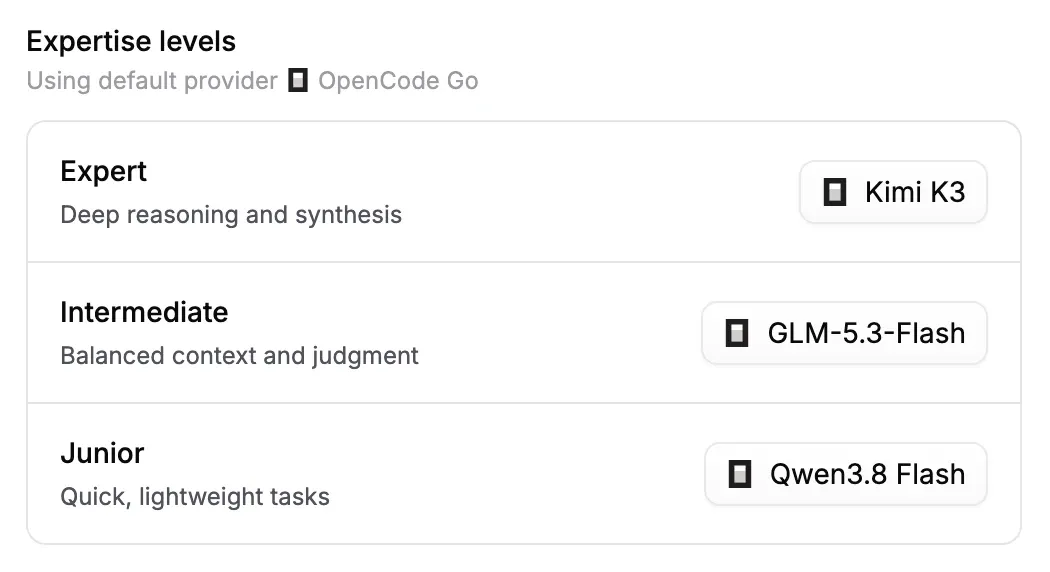
Peinture doesn’t show end users a list of forty models. The organization configures three expertise levels, and users pick one when they start a chat:
- Expert – deep reasoning and synthesis
- Intermediate – balanced context and judgment
- Junior – quick, lightweight tasks
It’s a UX layer. What users need to know is simple: if you ask at Expert level, it will consume more tokens, cost more, take longer, and reason a bit more. Junior is for fast tasks — wording, translation, maybe component extraction. The organization sets up the models; the end user never has to wonder what’s behind the level. They just use a level of AI that gets the design done.
If you know what you’re doing, you can override it and pick the model yourself.
The three models Ivan picked
For the demos, all three levels ran on models from the OpenCode Go subscription:
- Expert → Kimi K3
- Intermediate → GLM-5.3-Flash
- Junior → Qwen3.8 Flash
Easy to set up, and cheap to run. How cheap? Keep reading.
What the public benchmark says
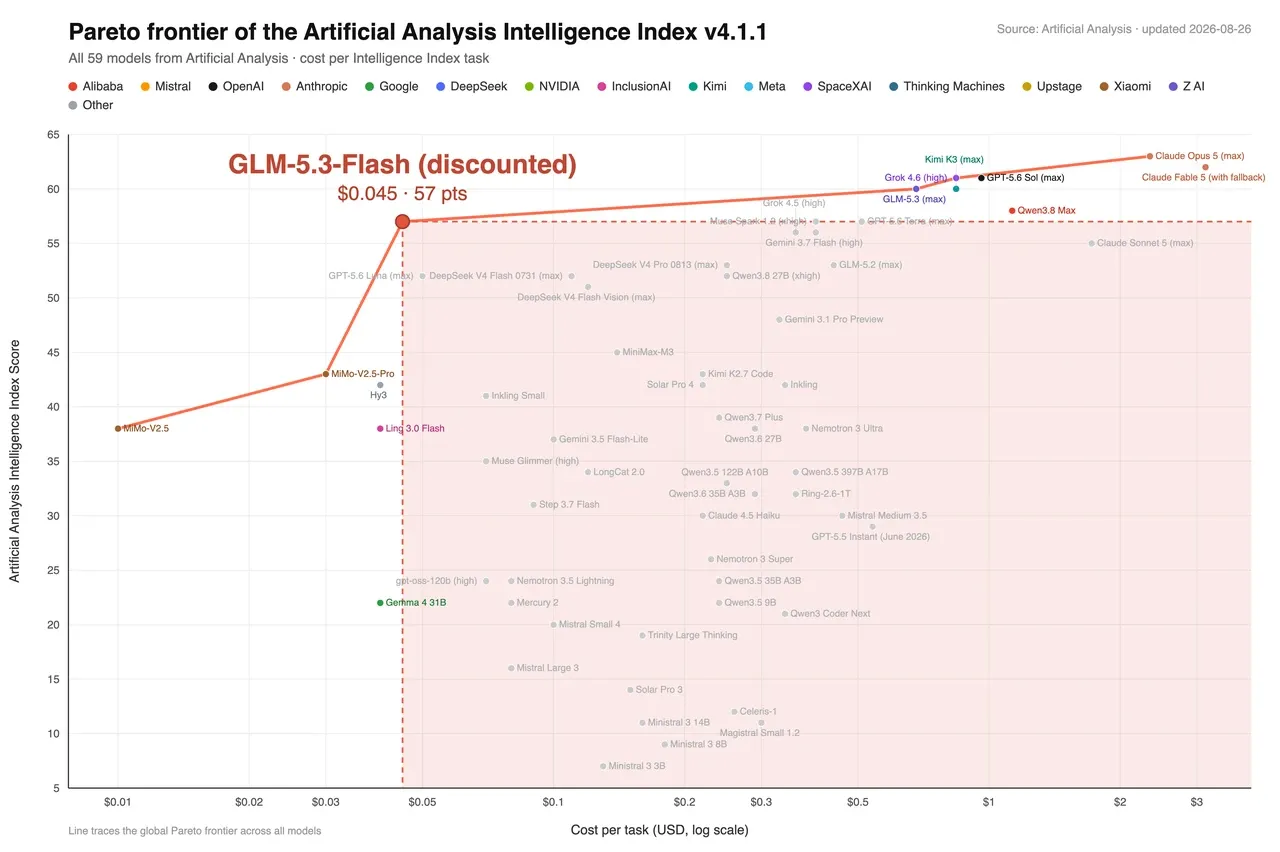
On the Artificial Analysis Intelligence Index, GLM-5.3-Flash scores 57 points at $0.045 per task. Claude Opus 5 (max) scores around 62 points at over $2 per task.
So no, it isn’t equivalent. It’s five points behind for roughly fifty times less money.
For Peinture, that’s largely sufficient. We don’t need deep engineering from the model. We need an agent capable of doing front-end integration: read existing components, render screens, keep the UI state coherent. That’s what these models are good at, and that’s what we showed all week.
What we saw inside Peinture: the Start UI test
Benchmarks are one thing. Before the conference, we ran the same extraction with each model on Start UI [Web], the open-source frontend starter we maintain at BearStudio. Same prompt, screens from the Manager part of the app.
Overall, it was a bit of everything that came out well: component fidelity, structure, and the state handling of the rendered UI. GLM-5.3-Flash got the Dashboard right down to the “Access Denied” badge on the App card, and rendered a clean dark-mode Books list. Qwen3.8 Flash, the Junior model, dropped the visuals on the Dashboard for grey placeholders, but its Books list on mobile was as clean as GLM’s. Some sub-components I hadn’t explicitly asked for were rendered too, faster and cheaper than they would have been with other models.
This wasn’t a formal benchmark, but we did keep an eye on the meter.
Qwen3.8 Flash went for the whole thing: 8 screens in about 45 minutes, for $0.54. The result was close to perfect, with every feature in place — dark mode, responsive, search, delete, load more, build info modal.
GLM-5.3-Flash is our favorite so far, mostly because it follows instructions best. Instead of building everything, it asked which screens we wanted first, then delivered 4 of them in about 10 minutes, for $0.22, with responsive, dark mode and search working. It also did something most models ignore: our skill tells the agent to put placeholders in place and defer heavier work, like full screens, rather than doing everything in one go. GLM actually did it.
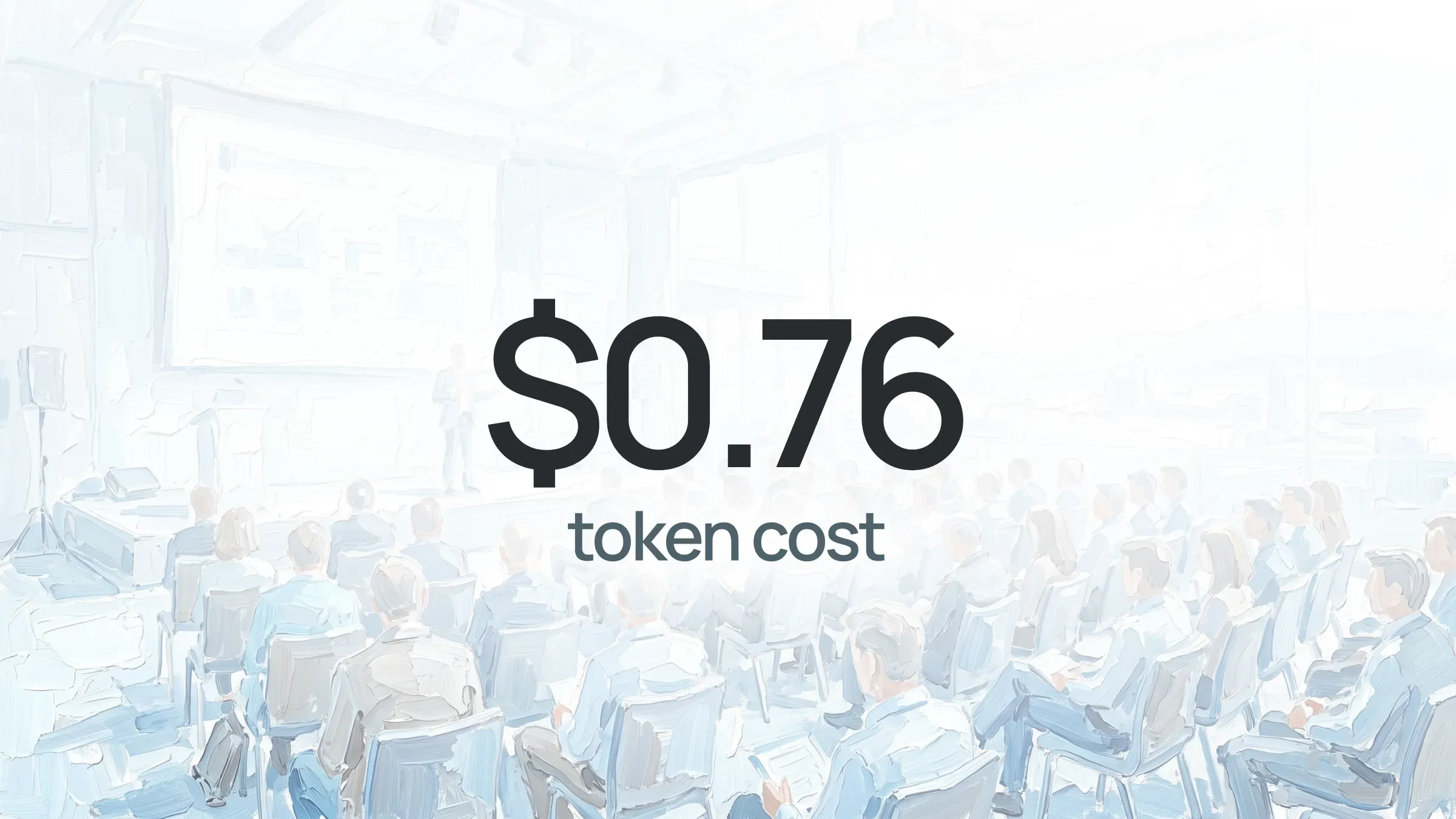
Add it up: the whole demo material — every screen we showed at the conference — cost us $0.76 in tokens. Less than a dollar. That’s the number that matters, not the subscription price.
Two caveats: the scopes differ (8 screens vs 4), and these are single runs, not averages. Take the numbers as an order of magnitude, not a ranking.
For a cost-value reference, we ran the same extraction through Mistral Medium 3.5 and Mistral Large 3. Medium kept the structure but rewrote the content and half-applied dark mode; Large returned a blank page on Books. On these screens, in this test, the sub-dollar models did the job and those didn’t. That’s all we take from it.
The obvious objection
Kimi, GLM and Qwen are Chinese models. Several European CTOs asked about data before they asked about price, which is the right order.
Two answers. Some of these models are open source, so they can be self-hosted, and that’s what we’re setting up for Peinture. And if you’d rather not, you don’t have to use them at all: plug in Mistral, Azure, or whatever your organization already trusts. The model choice is yours, not ours. The demos ran on these models because a full set of screens for under a dollar is what made sense for a demo.
What we take home
The demos held up on less than a dollar of AI. The expertise-level layer did what it was meant to do: nobody asked which model was behind the level, they just asked what Peinture did with it. And the conversations we came for happened.
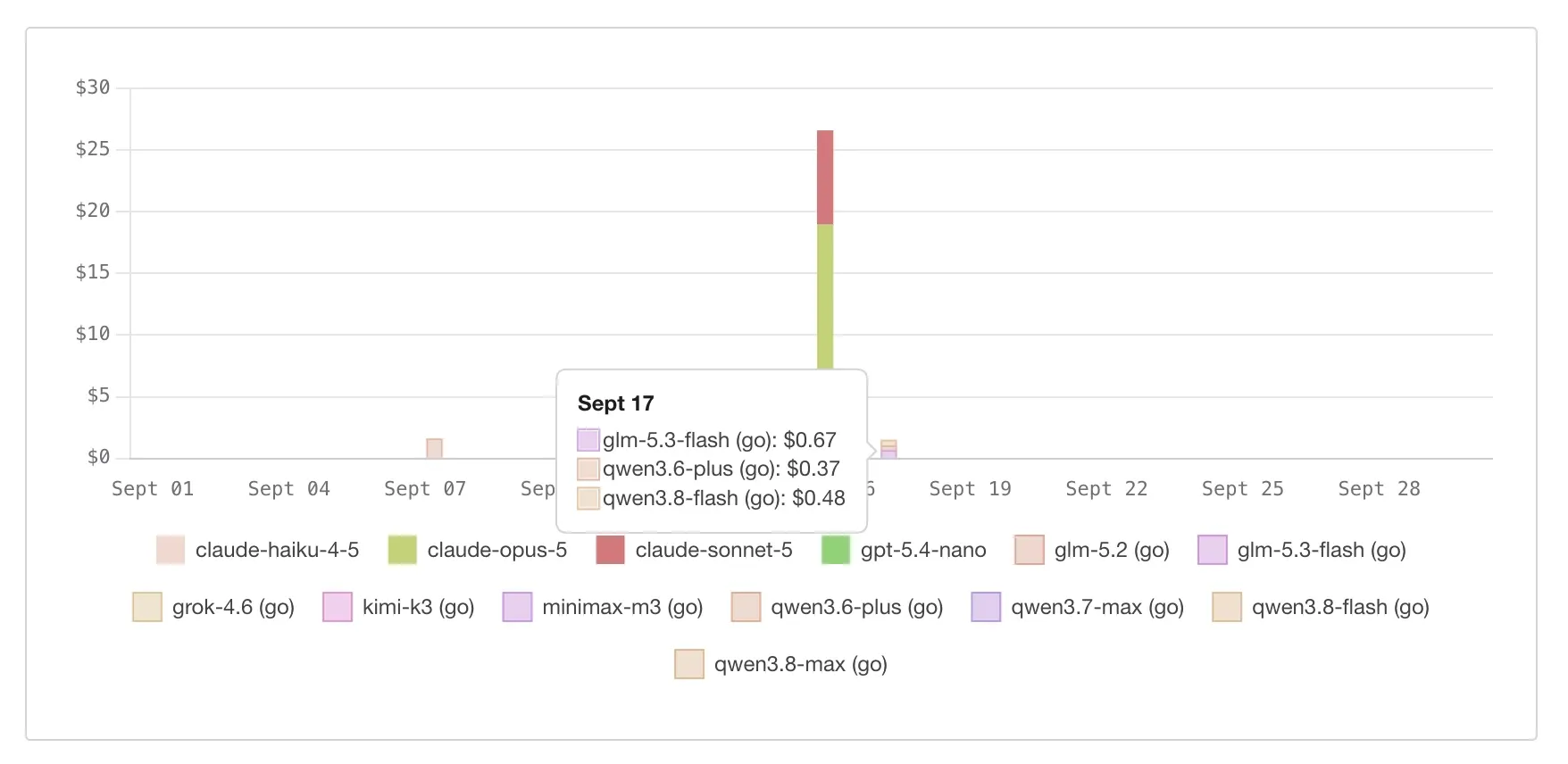
One more number, since the meter was still running. This is what OpenCode Go’s usage dashboard estimates for Thursday 17, the first day of the conference: a full day of live demos, driven by whatever visitors asked for, on GLM-5.3-Flash, Qwen3.8 Flash and a bit of Qwen3.6 Plus. About a dollar and a half at list price. It’s included in the subscription, so it isn’t a bill, but it tells you what the demos would cost with pay-as-you-go tokens. The tall bar next to it is Claude Opus 5 and Sonnet 5 on other work. Same chart, different order of magnitude.
If you weren’t in the room, you didn’t miss the demo, just the coffee. Ivan ran it for two days straight and is happy to run it one more time, for you, with the same sub-dollar models or whichever ones your organization trusts.
Request a demo