
The AI read every cell of my Excel file. It still got my business wrong.
AI can turn an Excel file into an app in one prompt. But the real business rules aren't in the cells.
I have two Excel files I’ve been using for years to run part of my company: revenue, invoicing, forecasts, budgets. They’re not particularly pretty, and not particularly clean either. But they work.
A few weeks ago, I did what is becoming more and more natural: I gave them to an AI and asked it to build me an app.
And it did. Fast.
At first glance, the result was convincing: screens, tables, navigation, forms. It looked like a real application.
Looking more closely, I realized it had mostly turned my Excel file into a website. I had lost some of Excel’s flexibility and gained all the constraints of a web application.
My Excel file, but less practical.
The problem was my request
The AI had done a decent job of what I asked. I had given it two files and said: build me an app from this.
So it took what it could see as the truth: the columns, the tabs, the data, the formulas, the structure of the files. And it tried to turn all of that into a product.
Except an Excel file that has been used inside a company for years is not a product specification. It can be a database, an interface, a reporting tool, a workflow, a calculator, a historical record, a set of conventions shared between several people, and probably a few hacks nobody remembers the origin of anymore. And it’s full of business rules that are written down nowhere.
The business logic isn’t in the cells
So I started again, differently. This time, I asked the AI not to write a single line of code, only to analyze the files: the business concepts, the rules, what is entered by hand or calculated, what looks ambiguous.
And above all: what questions should be asked to someone from the business before building anything?
The answers became much more interesting. Take a very simple example.
One of the things I track in these files is forecast revenue. I asked the AI: when a deal is signed, when should it show up in revenue? As soon as it’s signed. When the invoice is scheduled. When it’s sent. When it’s paid.
Based on the file, a perfectly reasonable answer. Only, it was wrong, or rather, incomplete.
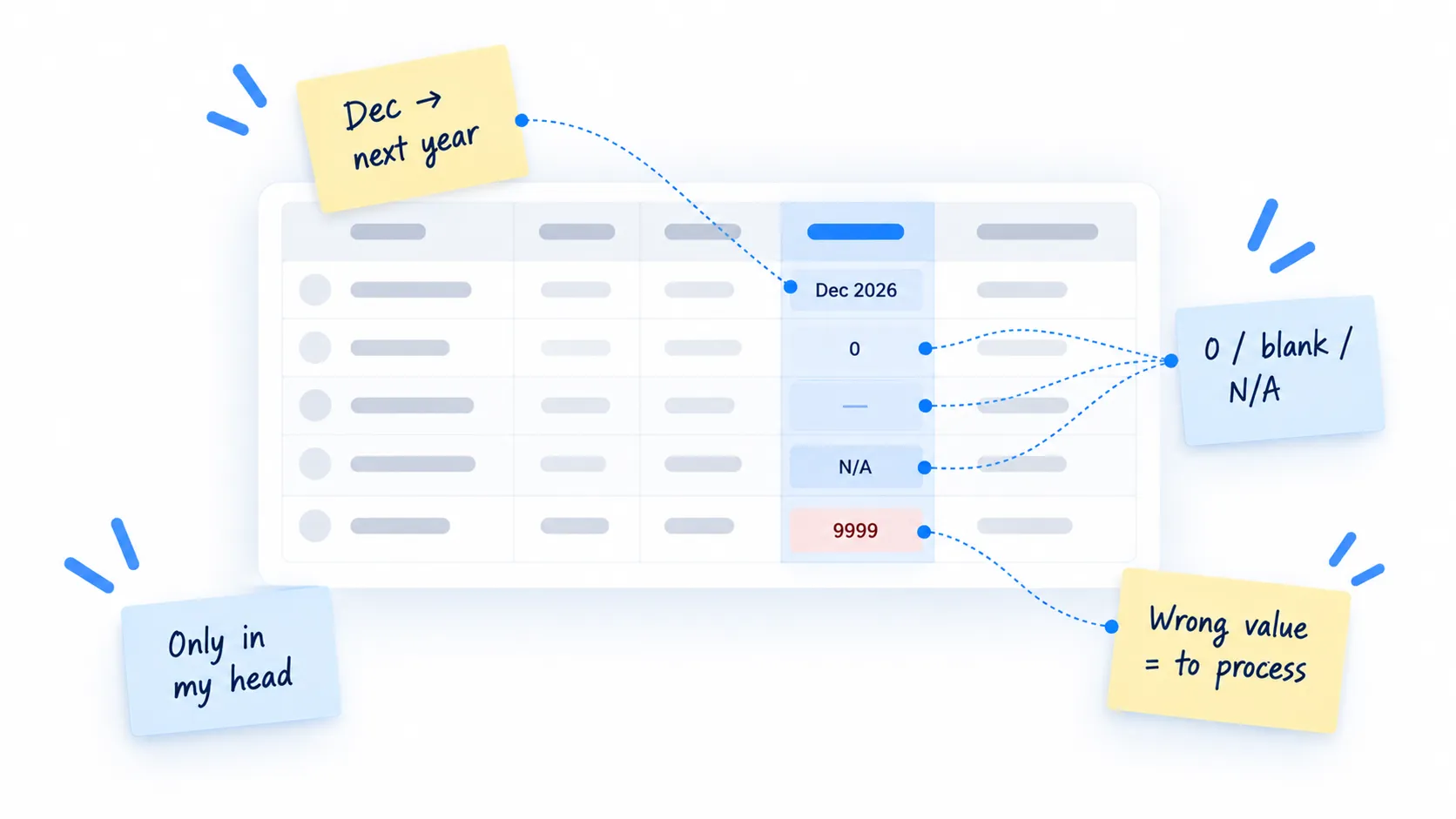
In real life, our rule is broadly what the AI had understood, except at the end of the year. A project signed in December may deliberately be counted in the following year.
That rule doesn’t exist in any cell. There is no IF December THEN... formula. It exists in my head and in the way we use the file. The AI had no way of finding it.
And yet, if I turn this file into an application, that decision has to become something in the product: a rule, a status, an action, a user permission. Or perhaps a human decision that stays explicitly human.
That’s where the real work begins.
Our old tools are full of implicit knowledge
Excel is a great example, but the problem goes well beyond spreadsheets. You see exactly the same thing in many existing products: CRMs, ERPs, back-offices, internal business applications, software built ten years ago.
There’s what the software does. And there’s the way people have learned to work with it:
- The exceptions, the habits, the workarounds.
- The rules only Sarah knows, because she has been doing this job for twelve years.
- The field people deliberately fill with the “wrong” value, because another department knows it flags a case to process.
- The button nobody uses.
- The report everyone exports to redo the calculations in Excel.
- The official process, and the real one.
All of that is part of the product. But most of it exists neither in the code, nor in the interface, nor in the files.
The new trap
In the past, turning a large Excel file into an application was expensive, so there was usually some kind of analysis phase. Discipline had nothing to do with it. Before committing several months of work, someone would simply end up asking: “Wait. What exactly are we building?”
Today, that friction is disappearing. You can take an Excel file, a PDF, a few screenshots or an old application and get something that looks like working software in minutes.
That’s impressive. But it also makes it very easy to skip the part where we try to understand the problem.
And the result can be deceptive. The prototype looks good. It works. The buttons respond. There are charts. It quickly feels like progress, when sometimes all we’ve done is encode a bad understanding of the business, faster than before.
The question has changed
As we explained in Implementation Isn’t the Expensive Part Anymore, when code gets cheaper, the cost of software moves elsewhere. The Excel experiment is that idea in miniature.
When a first version takes a few hours instead of a few weeks, the main question is no longer
how are we going to build this?It’s
have we understood what we should build?That’s precisely the limit of the “Excel to app in one prompt” approach.
I have to do the opposite, it’s non-negotiable
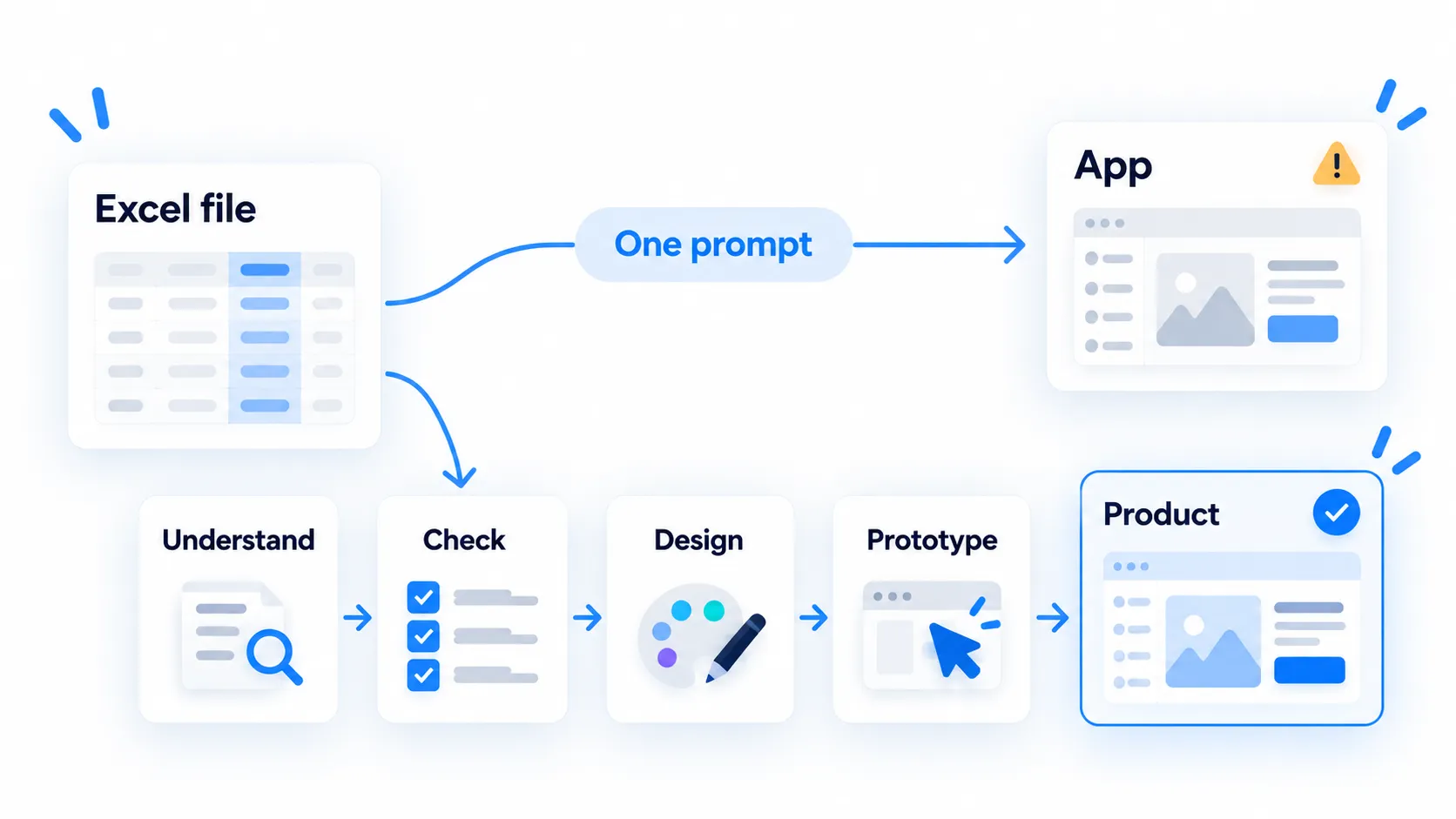
If I had to turn a business-critical Excel file into an application tomorrow, I would start by telling the AI: don’t write any code. First, understand.
- Understand: analyze the data, identify the business concepts, reconstruct the rules. Spot inconsistencies, list what isn’t clear, look for implicit decisions, ask questions.
- Check with the people who use the file: not just the manager who knows the general idea. The people who know why, in that one specific column, we sometimes enter
0, sometimes leave it blank, and sometimes writeN/A. - Design the target product, still without code: which screens, for whom, with what workflow and which exceptions? And what can we drop now that Excel no longer constrains us?
- Only then, prototype.
Step 3 matters more than it looks. Move too quickly from the file to the application and you reproduce its limits instead of designing something new.
This doesn’t mean giving up speed
The point is not to go back to three months of specifications before producing a single screen. That would miss what AI actually changes.
One of the biggest advantages of AI is that we can now move very quickly from understanding to something concrete. We define a rule. We generate a screen. We realize the rule doesn’t quite work, so we refine it. We update the prototype and show it to someone. They explain that 20% of cases don’t work that way. We adjust. And repeat.
Text lets us be precise. The prototype makes things concrete. Both matter, and each reveals what the other lets slip through.
A long piece of documentation can be technically correct but almost impossible to question. When that happens, I ask the AI to turn it into something visual. On the other hand, a screen can look completely obvious even though nobody has ever defined the rules behind it. Then I go back to text.
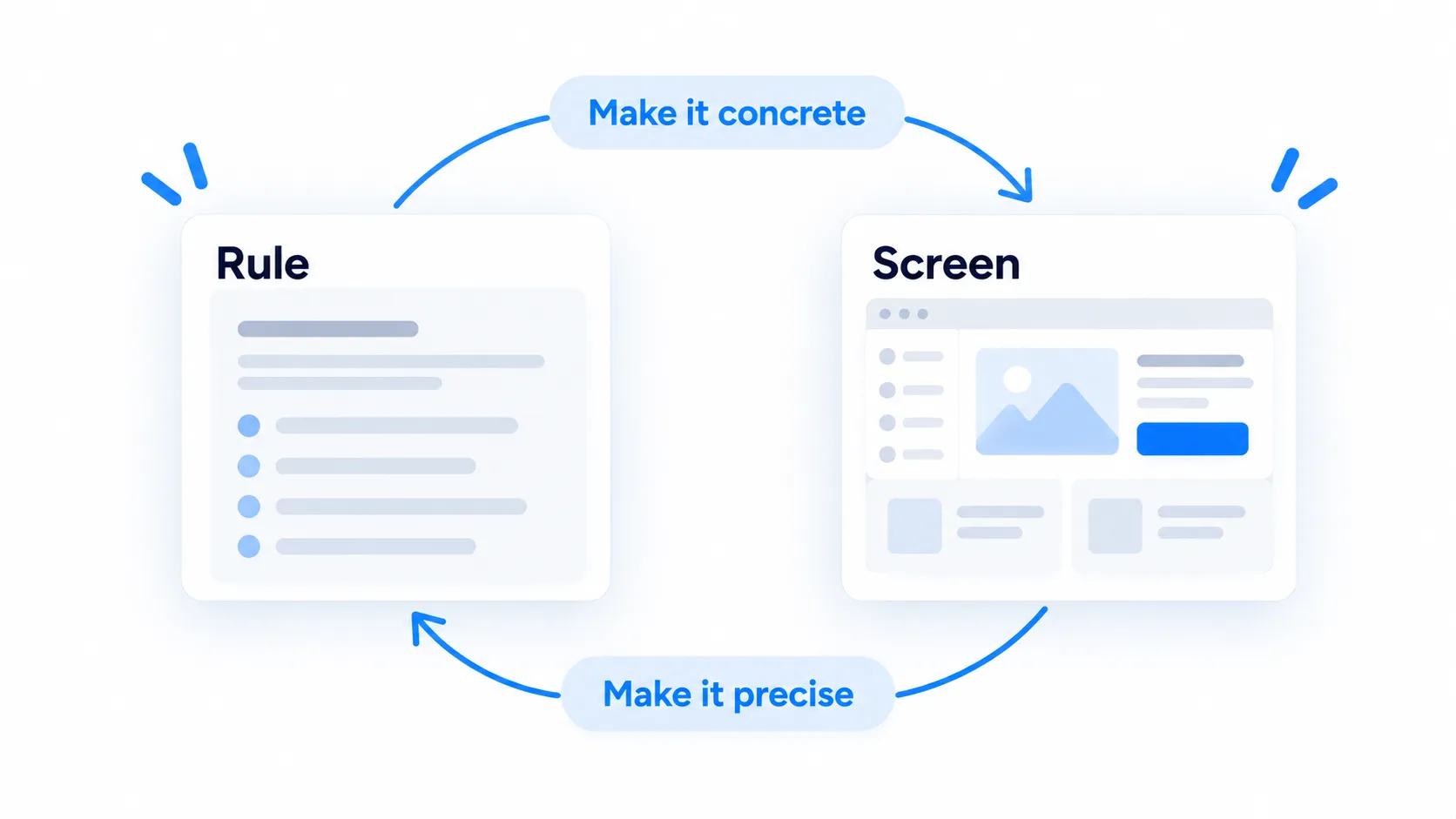
That back-and-forth is what moves things forward.
We’re going to turn a lot of Excel files into software
I think that’s a very good thing. Companies still rely on an absurd number of critical processes running on spreadsheets patched together over ten years. Until now, many of them simply didn’t justify the cost of a dedicated application.
AI changes that equation. Thousands of small business tools will become cheap enough to finally be worth building.
But if we hand every spreadsheet to a coding agent and say “turn this into an app”, we will also produce a lot of bad software: software that reproduces the columns, the tabs, the hacks and the bad habits, without ever understanding the business behind them.
The hard part now is capturing what people know, what existing systems don’t tell us, and the decisions that have stayed implicit until now.
That’s a big part of what we’re building with Peinture:
- Use the existing product as context.
- Surface the rules nobody wrote down.
- Move between text and prototype.
Together, these steps help everyone agree on what to build.
Because the spreadsheet will never tell you what Sarah knows. Someone has to ask her.
Got a spreadsheet running part of your business too? Let’s talk about what it’s hiding.
Request a demo